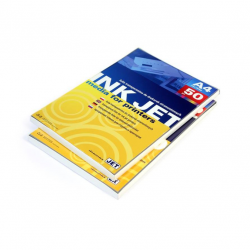
Inkjet Transparency Film A4 – Professional Results
Product: Transparency film for inkjet printing
Format: A4 (50 sheets)
Need to prepare slides for a presentation, create unique graphic elements, or prepare stencils? This A4 transparency film is an indispensable tool that turns your ideas into professional visuals using a standard inkjet printer.
Technical Summary (Specifications)
- Format: A4 (210 x 297 mm).
- Thickness: 160 microns (mic).
- Quantity: 50 sheets per pack.
- Type: Transparent, for inkjet printers.
- Drying time: Instant.
1. Instant Drying and Image Clarity
One of the biggest challenges when printing on films is ink smudging. This product features a special surface coating that ensures printing time equals drying time. This means:
- No smudging: You can use the sheet immediately as it comes out of the printer.
- High contrast: The ink does not bleed, keeping text sharp and colors rich.
- Precision: Ideal for fine drawings or detailed designs.
2. Optimal 160 Micron Thickness
Many films on the market are too thin and prone to curling from moisture or heat. This film has a 160 mic thickness, providing:
- Sturdiness: The film holds its shape, making it easy to place in projectors or file into folders.
- Durability: The thicker film is more resistant to physical wear compared to standard 100 mic alternatives.
3. Universal Compatibility
This inkjet film is designed to be universal. It is engineered to work with all popular inkjet printer manufacturers (e.g., HP, Canon, Epson). The special coating ensures that both water-based and pigment inks adhere perfectly to the surface.
Verdict
This is a premium choice for those requiring high-quality printing on transparency. Due to its thickness and instant-drying properties, it is one of the most reliable products on the market, suitable for educational institutions, design studios, or engineering offices.
Frequently Asked Questions (FAQ)
Is this film suitable for laser printers?
No, this film is designed exclusively for inkjet printers. Laser printers use high temperatures that could melt this film and damage the device.
Which side of the film should I print on?
You should print on the slightly rougher side (coated with a special absorption layer). Usually, this can be determined by lightly touching a corner with a damp finger – the stickier side is the print side.